creating and managing your portfolios
Getting Started

Creating and Managing Your Portfolios


Introduction

Nothing, they say, goes for nothing. Right? Good! This statement also applies to work and professional life, as much as it applies to other aspects of life.

An employer would not employ an employee without expecting value from the employee. And no one would want to work for any employer without any form of benefit (not necessarily monetary).

Even when it comes to collaboration between two or more parties, if any party has nothing to take (directly or indirectly) from the collaboration, then it's simply not a collaboration (feel free to give it a sweet name). And if this kind of 'collaboration' should take place, a dropped level of productivity is sure to come from the party that has nothing reasonable to benefit. This is a kind of compensatory laziness, and usually attracts no consequence from the receiving party.
So now, those wishing to hire or collaborate with you, how do you give them a glimpse of what you're up to? That's where a portfolio and CV come in. But wait! Are these really that important? C'mon! Of course they really are. They distinguish you as the real professional, highlight your accomplishments, and send that strong message of "you know who I am?"

Now that you know, let's talk about how you can successfully create and manage your portfolio, and set yourself up for success. It's gonna be a quick, and yet comprehensive rundown. So, don't start feeling bored.

Success Tips

Knowing fully well that a portfolio is a set of pieces of creative work collected to be shown to potential customers or employers, you should consider these tips to make sure that 'that' patronage, hire, or collaboration really happens:

1. Your portfolio should contain only your best work/projects. It shows expertise.

2. The work/projects added should be in line with your 'About Me' - the things you say do (according to your portfolio).

3. Stay real and don't take credits for any work not done by you. Nothing stays hidden forever.

4. Add only your active means of contact.

5. Connect your CV to your portfolio. This helps potential customers or employers to know you (and your worth) better. This only pertains to personal brands.

Setting Up Your Portfolio

Setting up your portfolio on Traffic Danfo is stress-free and snappy, and should take you only about 5 to 10 minutes.

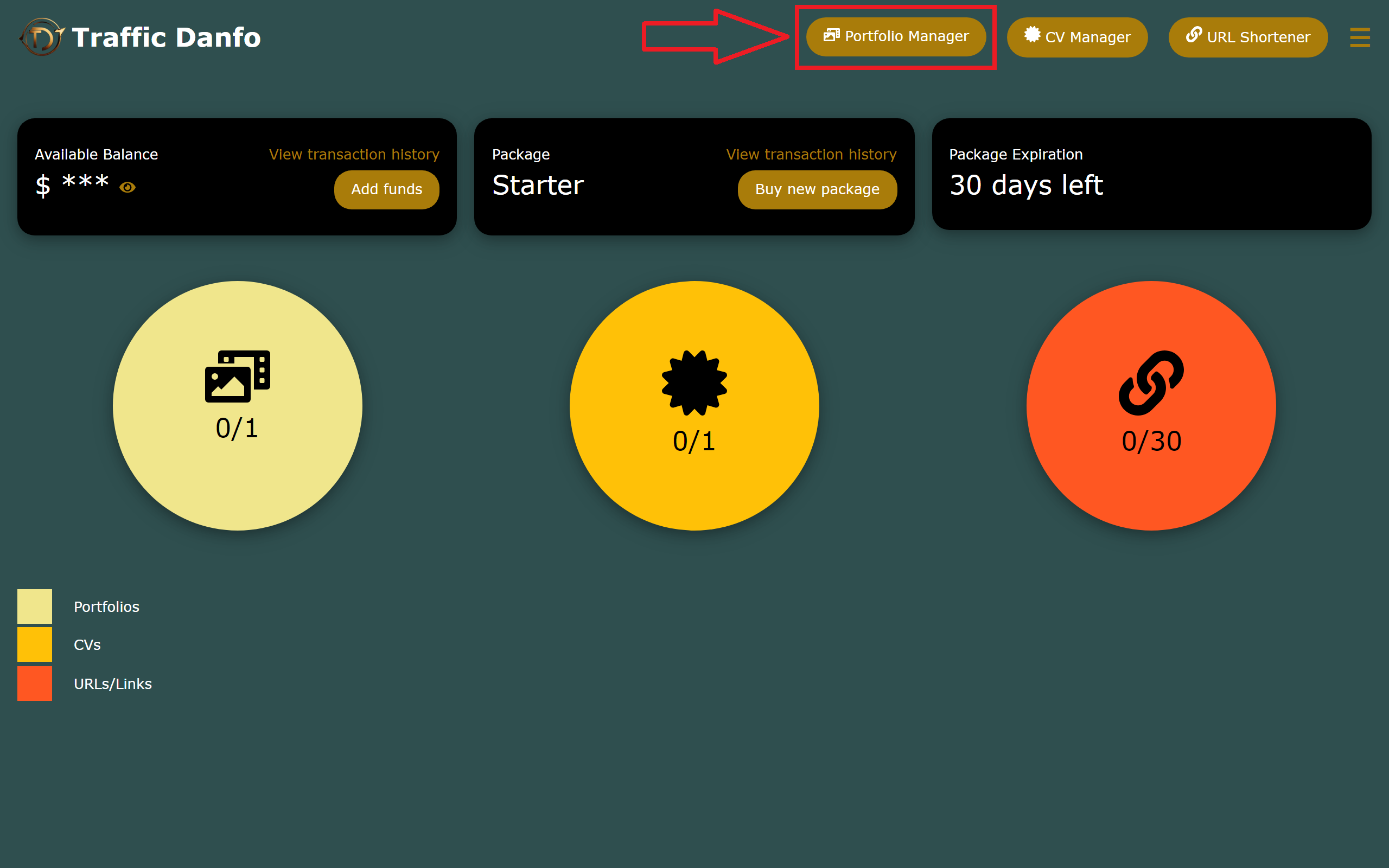
1. After you've logged into your dashboard, simply head straight to 'Portfolio Manager'.
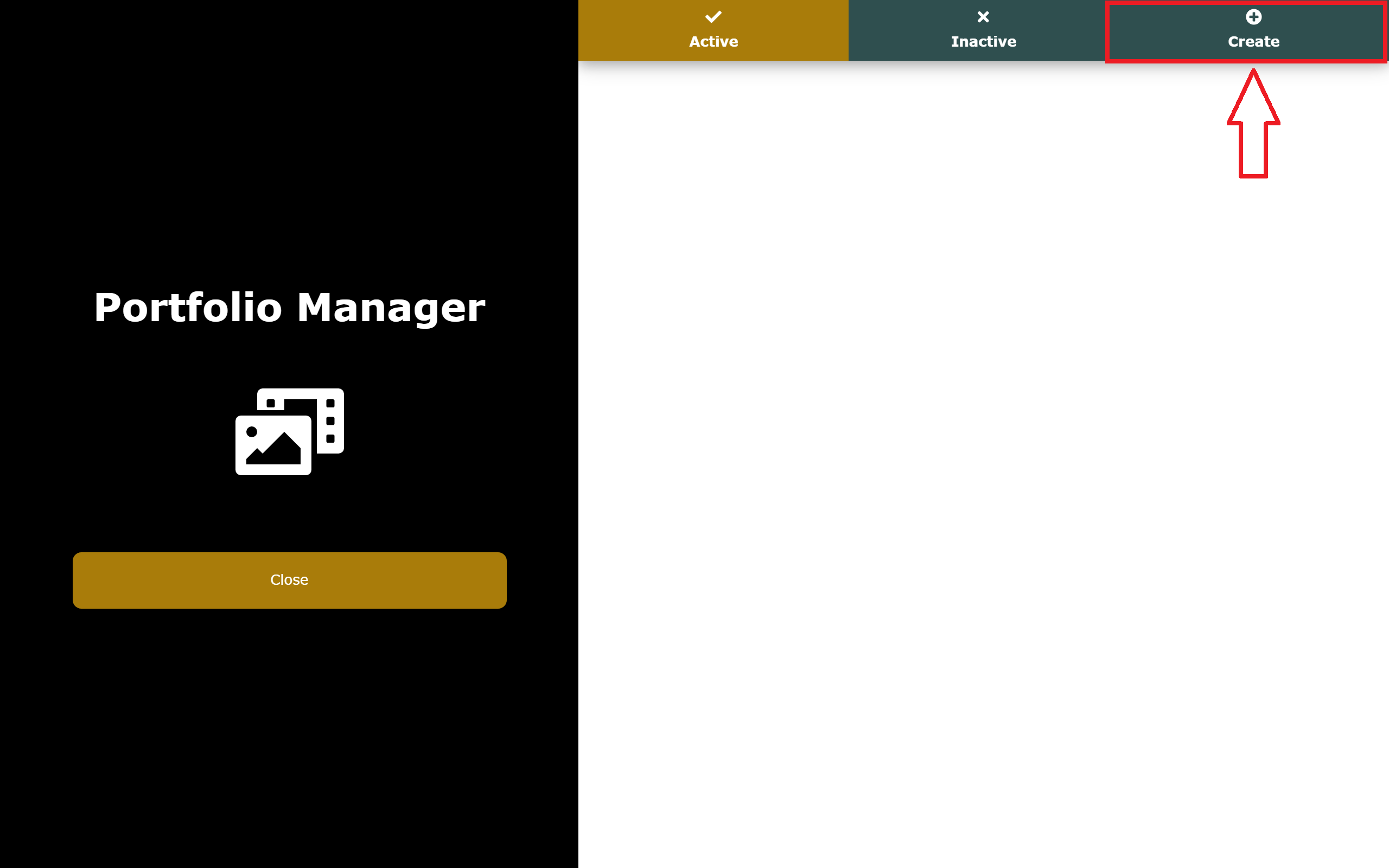
2. When the Portfolio Manager opens, click on 'Create' to create a new portfolio.
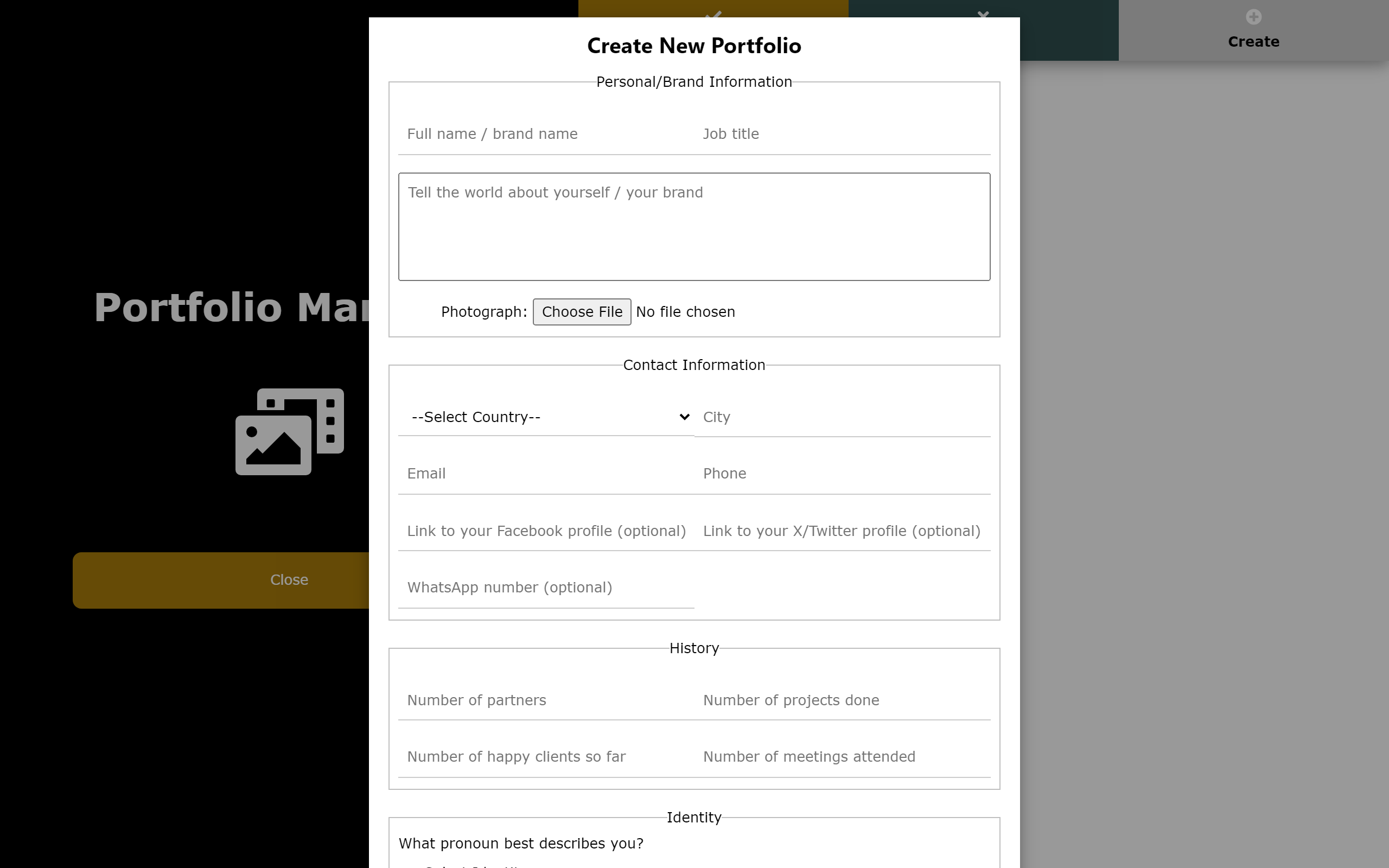
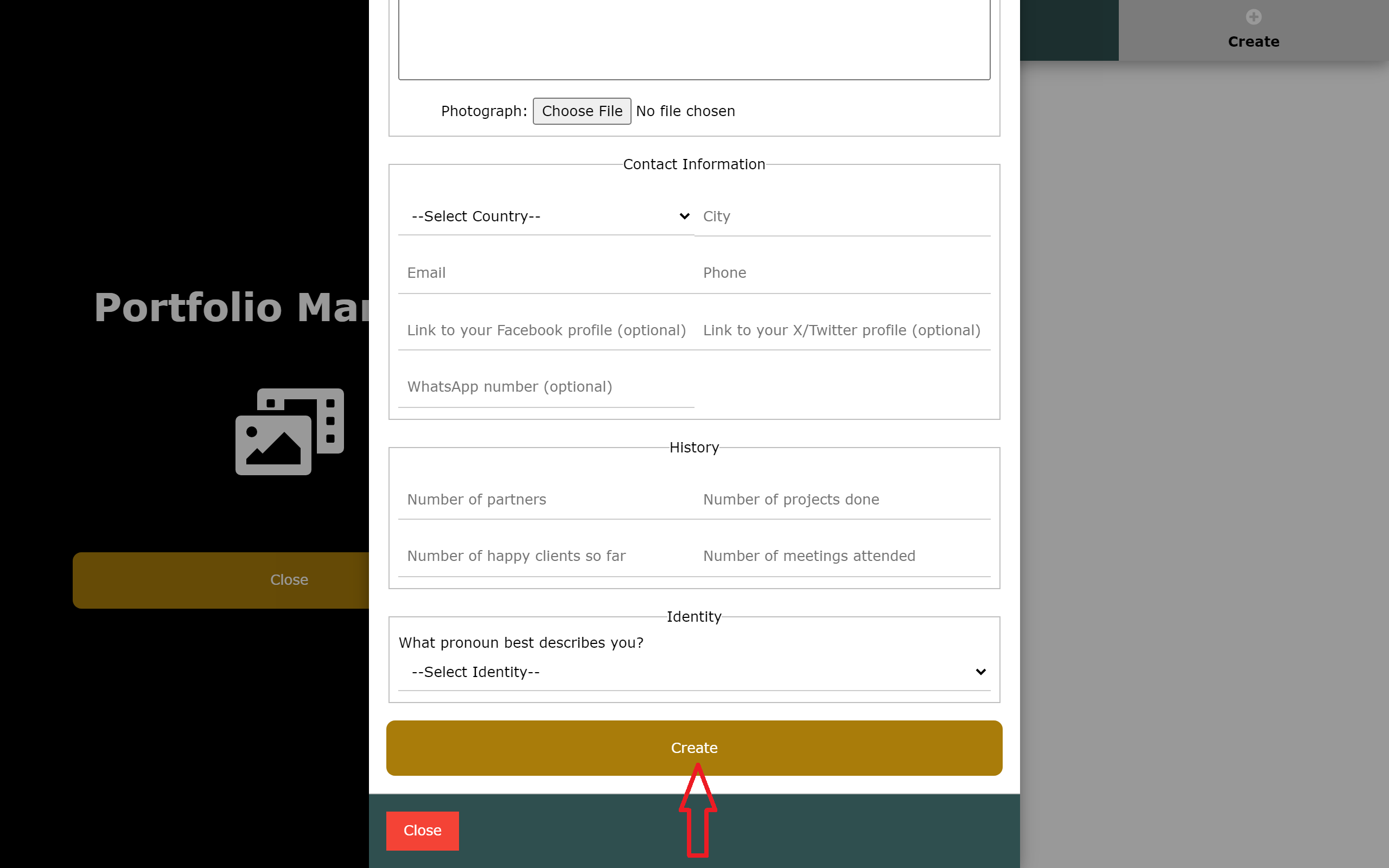
3. A modal will pop up, where you would fill in your details and submit by clicking on the 'Create' button.


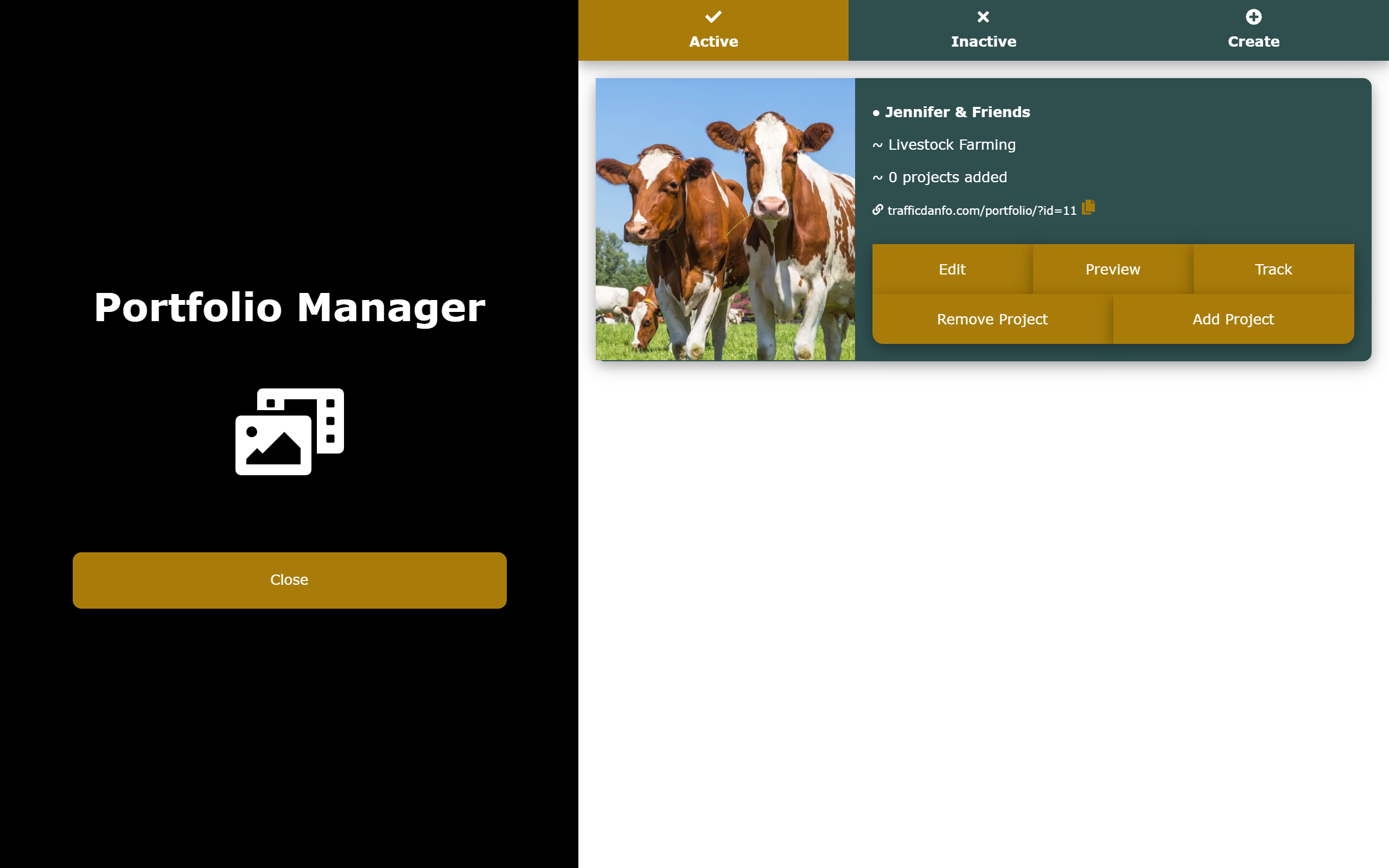
And boom! Your portfolio would be set. What would be left would just be to start adding your work/projects to it, but before then, lets see how our Portfolio Manager looks like after successfully creating a new portfolio.

Adding Your Work to Your Portfolio

After successfully creating a portfolio, it's time to add projects to it. It's very easy and straightforward.

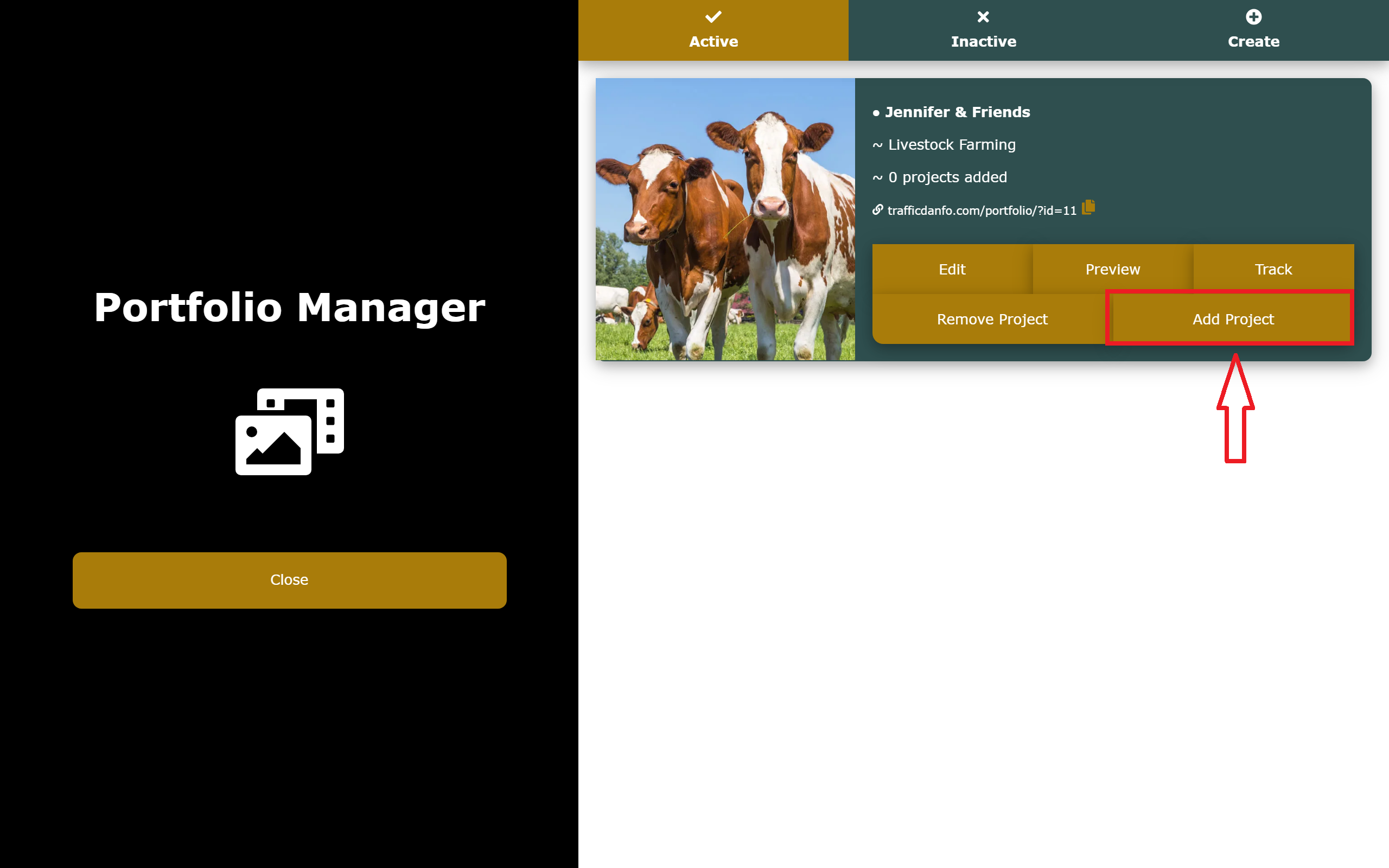
1. Click on the 'Add Project' button on the particular portfolio you wish to add to.
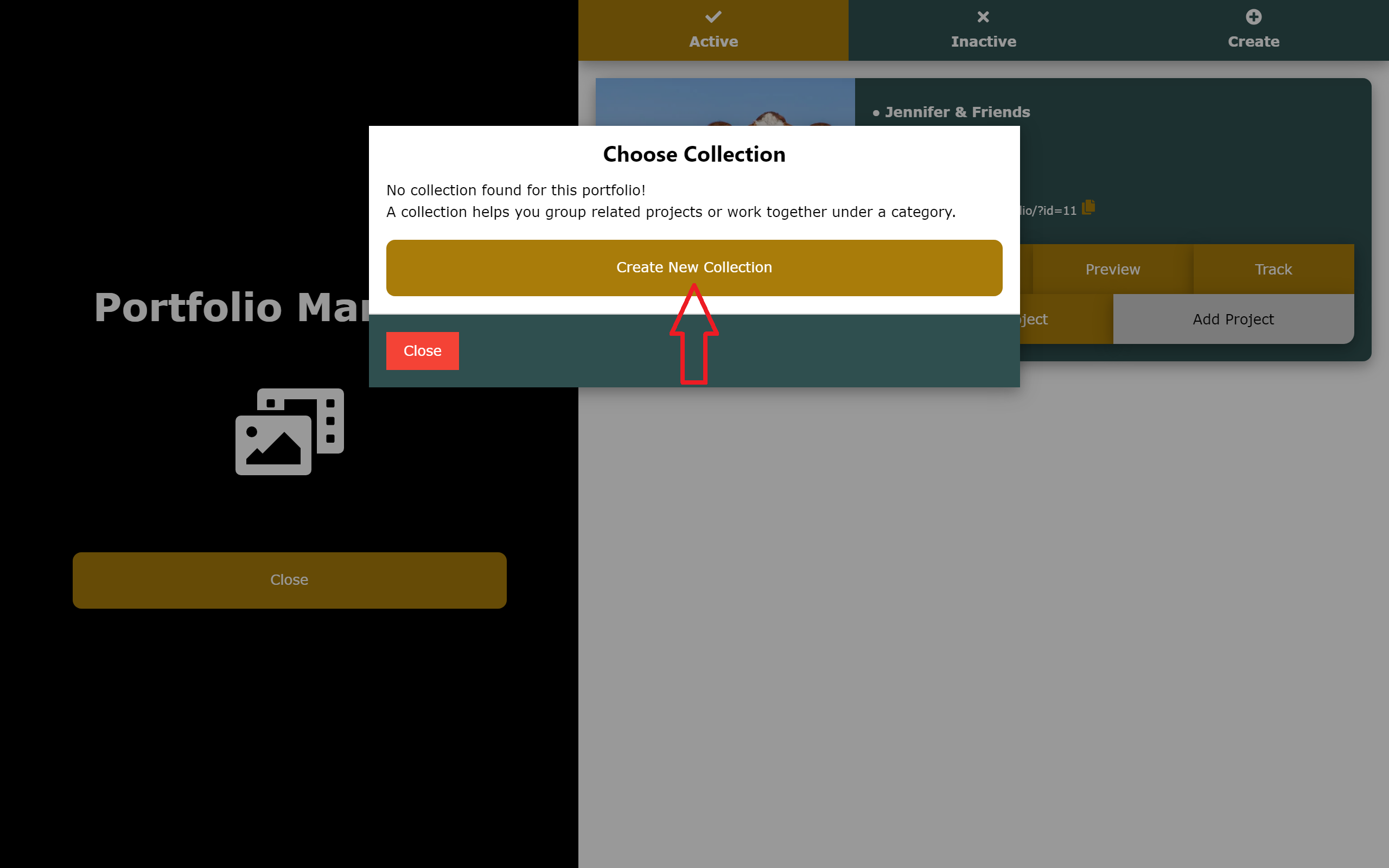
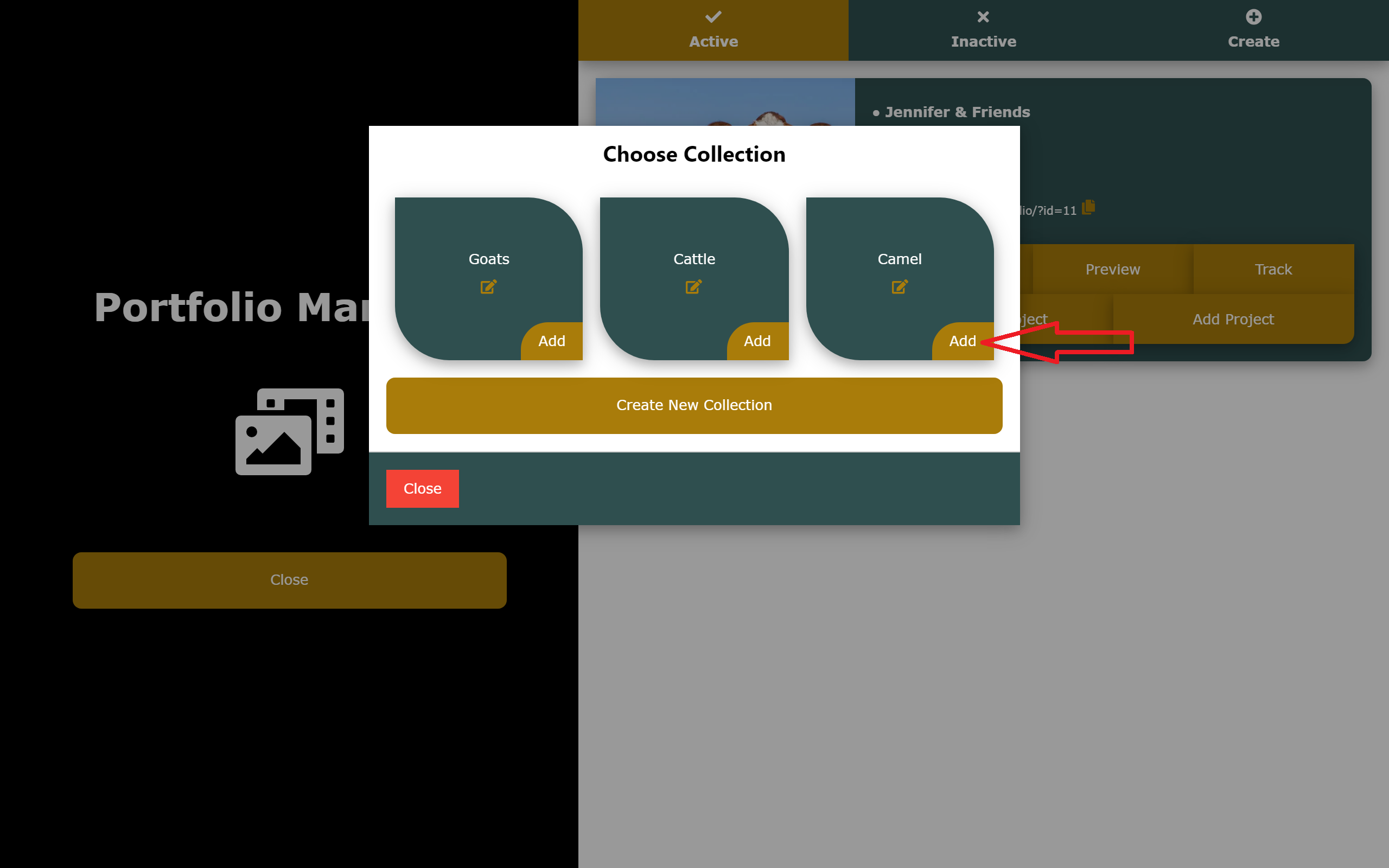
2. A modal would pop up where you would select the collection you want to add the project to. A collection helps you group related projects or work together under a category. If you don't have any collection in your portfolio already, you should quickly click on the 'Create New Collection' button and then follow the prompts.
3. After you have created some collection for your portfolio, you would then have to select the particular collection you want to add the project to.
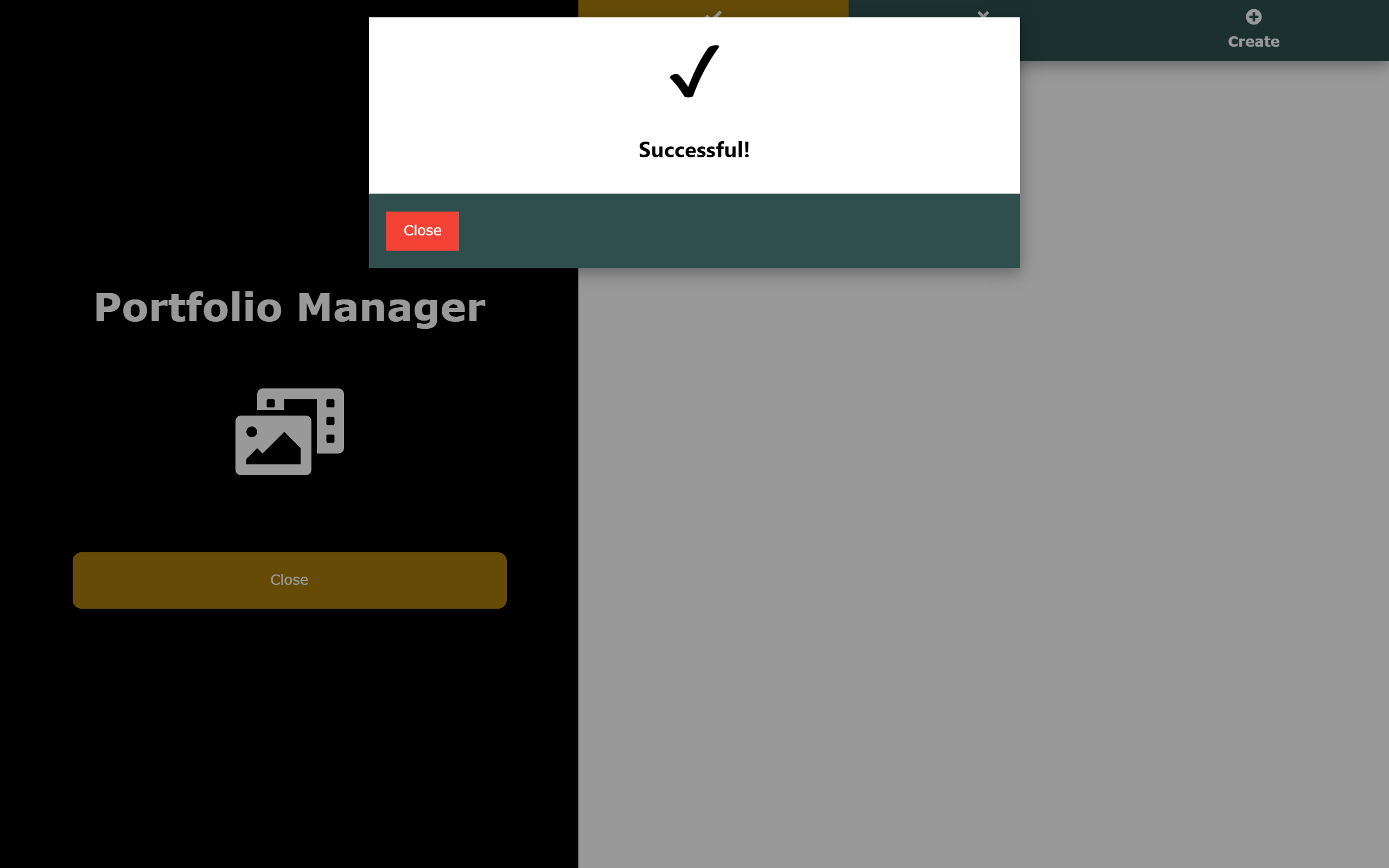
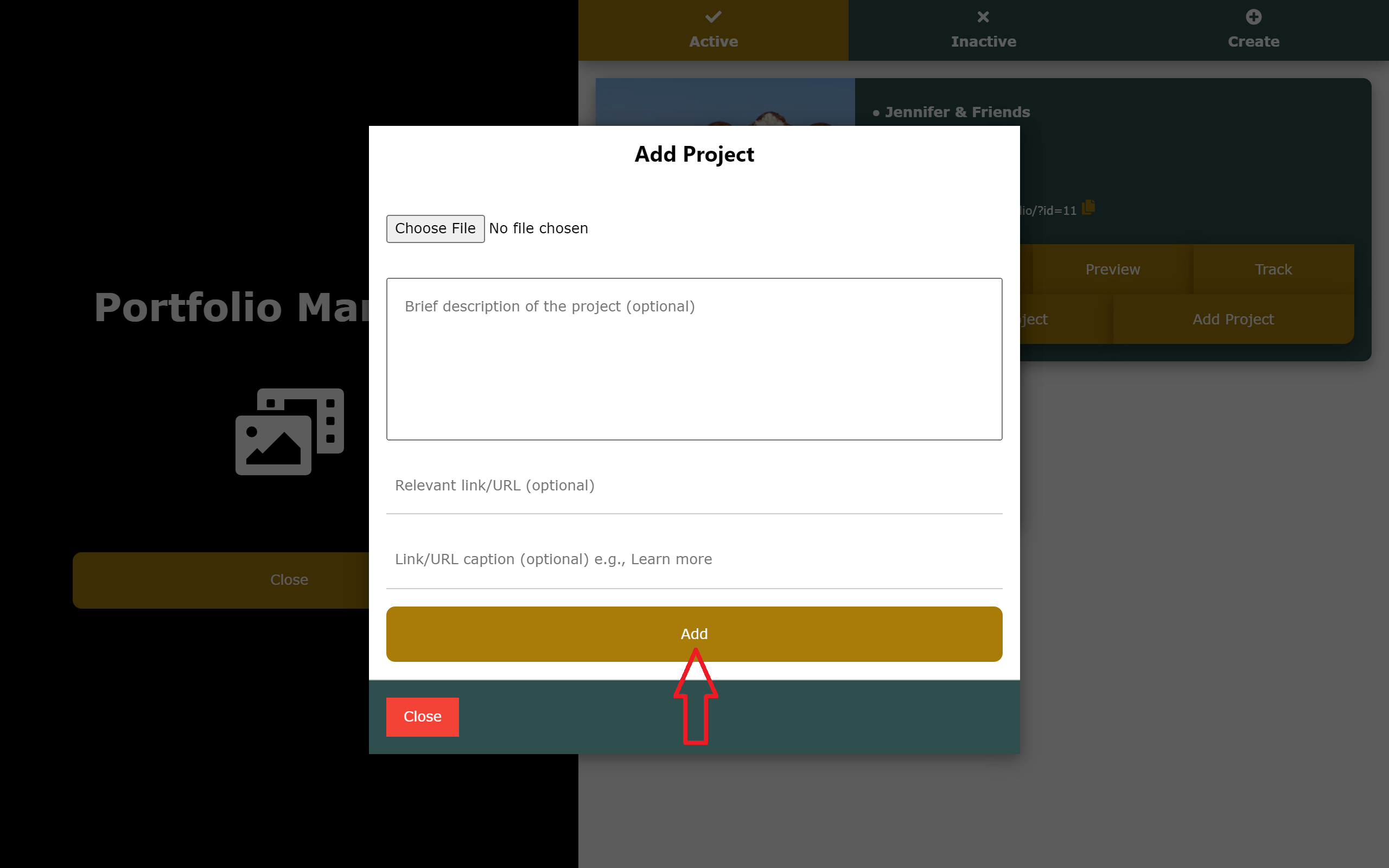
4. Another modal would pop up where you would add the project (photo or video) and a description (optional) of it. When these have been done, you then click on the 'Add' button to finally add it to the selected collection.
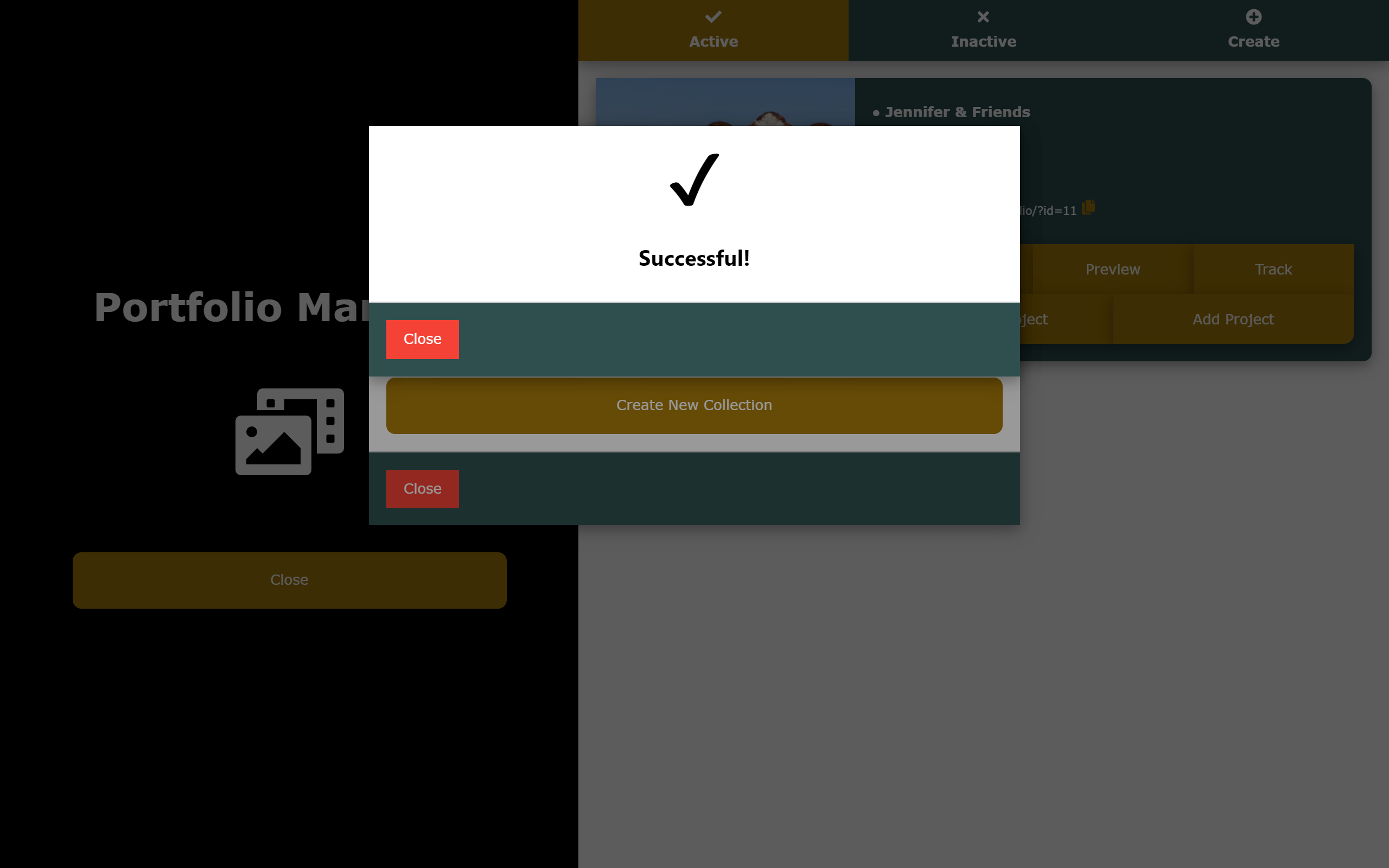
You can repeat this process for as many projects as you wish to add to your portfolio.

Previewing and Sharing Your Portfolio

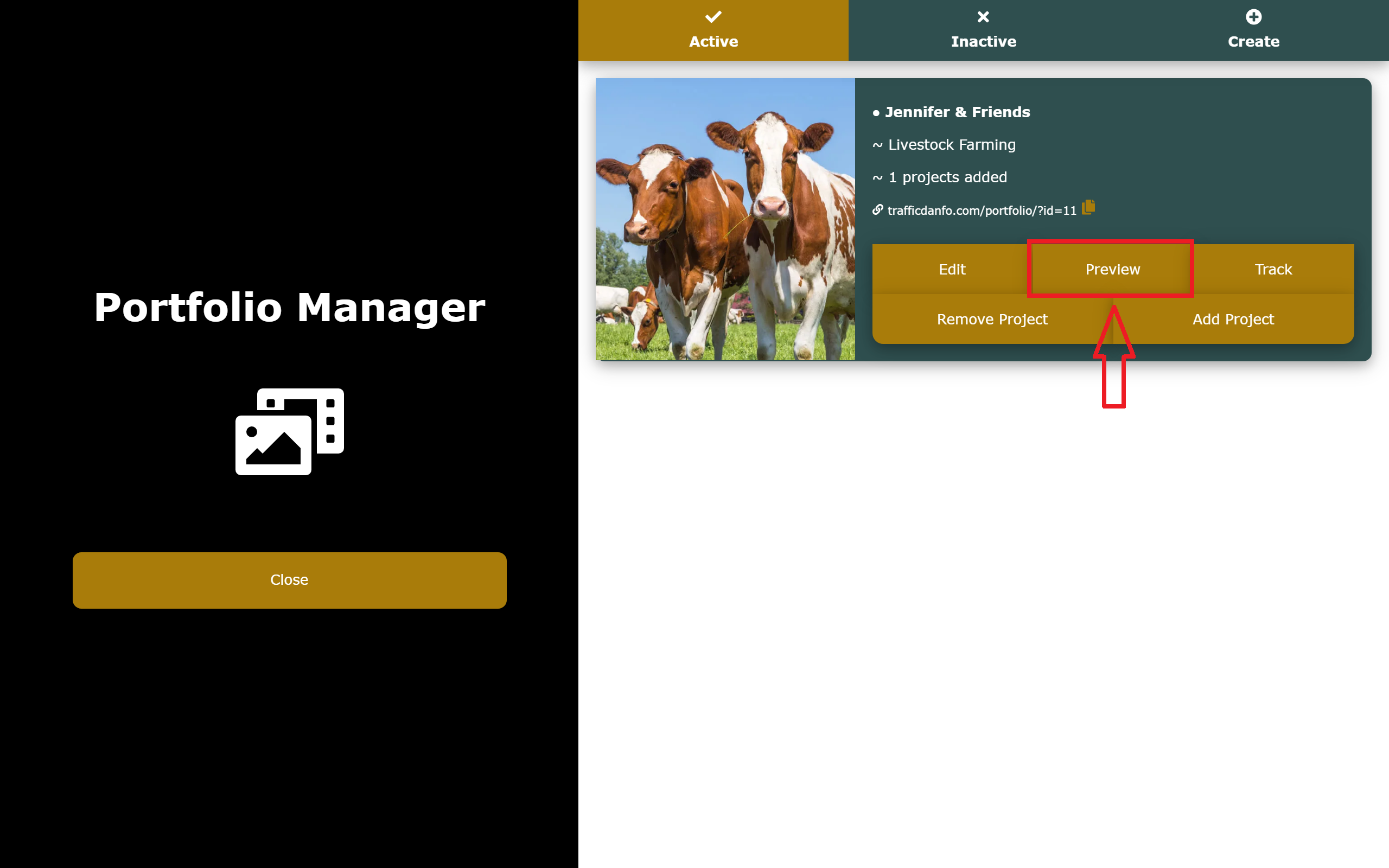
After your portfolio is fully set, your next step should be to grant it visibility by sharing a link to it across social media. We would recommend you paste this link on the profile pages of all your social media handles, and other freelancing platforms. To do this, you would simply have to copy the link to your portfolio by clicking on the copy icon near the link.
Also, to see how your portfolio actually looks, you can simply click on the 'Preview' button and have a good feel of the portfolio you've created.

Time to Get to Work

Now that you have learnt how to fully set up your portfolio, it's time to go implement what you've learnt. Simply login to your dashboard to start the process.

Meanwhile, you can check out these portfolios to have a better feel of what we've been discussing:

Hamibelle Atelier
Luxury Fashion Design


Dar Ibn Taimiyyah Islamic Homeschool (DIT)
Educational Institution


Estatelink
Real Estate


GUZURIN MUSULMI
ILMANTARWA GAME DA ADDINI


Captain Zain TV Shows
Movie 🎥 Industry

Frequently Asked Questions
1. Do I really need a portfolio considering the fact that I'm a fashion designer and really not into digital services like photography and graphic design?
Sure, you do! Having a portfolio as a fashion designer (or any other craftsman) is a sure way to show off your best work/designs to a larger audience and build reputation as a professional in the fashion industry.
2. What if I have multiple skills or brands? How do I create a portfolio for each of my various occupation or brand?
It's a great thing to have multiple skills or brands. If you're one of such persons, you can simply go for a package that favors and accommodates the number of skills or brands you have. One of such packages is 'Essential', which allows you to create up to 3 portfolios, 3 CVs, and 150 links per month (using our URL shortener).
3. I'd have loved to try this out, but I really can't pay for something I haven't tested.
Say no more! You really don't have to pay a dime before using Traffic Danfo. Using Traffic Danfo is actually free for the first 7 days after you sign up.
4. How would I know if people are actually visiting my portfolio, or whether I'm just the only one viewing my stuff?
You can always track your portfolio from the Portfolio Manager to see it's analytics. It's there to help you understand where your portfolio performs best, so you can make better decisions.
5. What if I want to remove a particular work/project from my portfolio? How would I go about it?
If for any reason, you no longer want to have a particular work/project in your portfolio, you can instantly remove it by heading straight to your portfolio via the Portfolio Manager, clicking on 'Remove Project', and then following the prompts.
Getting Started
Creating and Managing Your Portfolios
Creating and Managing Your CV
Creating Custom URLs Using Our URL Shortener